Buying your first Solana memecoin used to be a painful multi-step process: create an account on Coinbase or Binance, verify your identity, wait for approval, buy SOL, set up a Phantom wallet, transfer your SOL, find a DEX, and finally make your trade. By the time you're done, the token has already pumped and dumped.
GDEX Pro eliminates all of that friction. You sign in with Google, deposit with Apple Pay, and start trading. The whole process takes under 3 minutes. Here's exactly how it works.
What You'll Need
- An iPhone, iPad, or Mac with Apple Pay set up (or any device for the Google sign-in flow)
- A debit card or credit card linked to Apple Pay
- At least $50 USD to deposit (minimum amount)
- About 3 minutes
That's it. You don't need a crypto exchange account. You don't need to know what a seed phrase is. You don't need MetaMask or Phantom.
Step-by-Step Guide
GDEX Pro is actively developed and its screens change between releases, so these steps describe the flow rather than a fixed layout. Element names may differ slightly from what you see — the order of operations is what matters.
Go to GDEX Pro
Open gdex.pro in your browser. Works on mobile Safari, Chrome, or any desktop browser. No app download required.
Sign In with Google or Apple
Click "Sign In" and choose Google or Apple. GDEX uses Web3Auth to create a self-custody wallet for you automatically. Your private key is generated and secured using distributed key management — no one, including GDEX, can access your full key. You don't need to write down a seed phrase or import anything.
Tap Deposit → Apple Pay
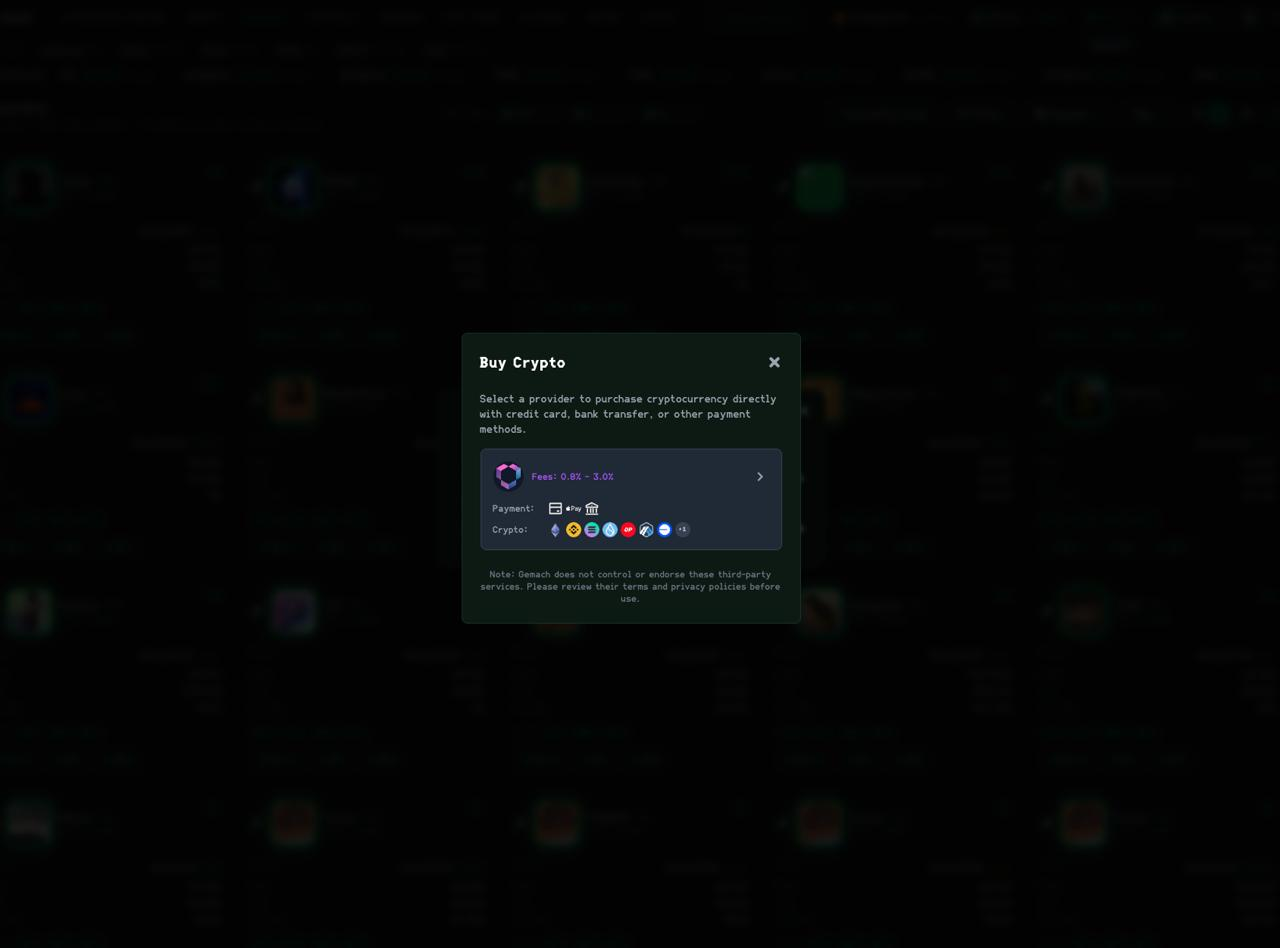
Once signed in, open the deposit flow and choose Apple Pay as your payment method. Enter the amount you want to deposit — the minimum is $50 USD. GDEX's on-ramp partner processes the payment and converts your USD into SOL, which lands directly in your self-custody wallet.
Confirm with Face ID or Touch ID
Apple Pay will prompt you to authenticate with Face ID, Touch ID, or your passcode. Confirm the transaction. The payment is processed in seconds. Your SOL balance will appear in GDEX within 1-2 minutes.
Start Trading Memecoins
With SOL in your wallet, you're ready to trade. Use GDEX's token search to find memecoins by name or contract address. Set your buy amount and confirm the trade — the swap executes through Solana's fastest routes. You can also browse trending tokens, check charts, and set limit orders from the same interface.
Why Apple Pay on GDEX Pro Is Different
There are other platforms that let you buy crypto with Apple Pay (like MoonPay or Transak), but they typically require you to:
- Create a separate account on their platform
- Complete KYC verification (upload ID, take selfie, wait)
- Buy crypto on their platform
- Withdraw to an external wallet
- Then use that wallet on a trading terminal
GDEX Pro integrates the on-ramp directly into the trading terminal. You sign in, deposit, and trade — all in one place. There's no separate account to create, no withdrawal step, and no waiting for transfers between platforms.
Frequently Asked Questions
What's the minimum deposit?
$50 USD via Apple Pay. There's no maximum, though your card issuer may have its own limits.
What fees are there?
The on-ramp provider charges a processing fee that covers card processing and the fiat-to-crypto conversion. Quoted provider fees range from 0.8% to 3.0% depending on the payment method you pick — the fee is shown before you confirm. This is comparable to or lower than what you'd pay buying on Coinbase or Binance and then transferring.
Is my wallet really self-custody?
Yes. GDEX uses Web3Auth, which splits your private key across multiple independent nodes using threshold cryptography. No single party (including GDEX) can reconstruct your key. You can export your private key at any time and use it in any standard Solana wallet.
Can I use Google Pay instead of Apple Pay?
The Buy Crypto flow offers card, Apple Pay, and bank transfer. Apple Pay is the fastest of the three. If Google Pay isn't offered in your region, a debit or credit card works the same way. Availability of each method can vary by region.
What if I want to trade on Ethereum or Base?
GDEX Pro supports 9 chains — Solana, Ethereum, Base, BNB, Arbitrum, Optimism, SUI, Sonic, and Berachain. After depositing, you can switch chains from the interface. If you deposit SOL and want to trade on ETH, you can bridge or deposit additional funds on your preferred chain.
Can I withdraw my crypto?
Absolutely. Since your wallet is self-custody, you can send your tokens anywhere at any time. There are no withdrawal restrictions or holding periods imposed by GDEX.
What to Trade First
Once you have SOL in your wallet, here are some ways to get started:
- Browse Trending Tokens: GDEX shows what's moving on Solana in real-time. Look for tokens with strong volume and recent momentum.
- Copy an AI Agent: Instead of picking tokens yourself, you can configure one of GDEX's 5 AI agent slots. They analyze the market 24/7 and execute trades autonomously. You set how much to allocate and the trades mirror automatically.
- Start Small: The beauty of memecoins is that you can get started with $10-$50 positions. Learn the interface, understand how slippage works, and get comfortable before sizing up.
Bottom Line
GDEX Pro's Apple Pay integration is currently the fastest way to go from zero crypto to trading Solana memecoins. No exchange account, no identity verification delays, no wallet setup, no seed phrases. Sign in with Google, deposit with Apple Pay, trade. Under 3 minutes.
Self-custody. $50 minimum. Under 3 minutes.